
A website can look modern and still perform poorly in search. It may have slow pages, weak navigation, missing content, or links that search engines cannot follow. These problems are often hidden during design reviews. They become clear only after the site goes live and traffic fails to grow.
Planning website development and SEO together helps prevent these issues. Developers can build the right technical base while SEO specialists guide the site structure, content needs, URLs, and internal links. Both teams make better choices when they work from the same plan.
This guide explains where development and SEO connect. You will learn what should be planned before design begins, what needs testing before launch, and how an integrated process can reduce costly fixes later.
Why Should Website Development and SEO Work Together?
Website development and SEO should work together because many search decisions are also design and coding decisions. A search specialist cannot fix every problem by editing titles or adding keywords after launch.
Google Search finds and processes pages through crawling and indexing. A site must first be accessible and understandable before it can appear for a useful search. Page structure, navigation, links, scripts, and indexing controls all affect that process.
SEO helps answer questions such as:
- Which pages does the business need?
- How should those pages connect?
- What should appear in the navigation?
- Which URLs should search engines index?
- What content should each template support?
- How will old pages move to the new site?
Development then turns those answers into a working website. When both teams begin together, fewer key decisions are left until the final week.
What Goes Wrong When SEO Starts Too Late?
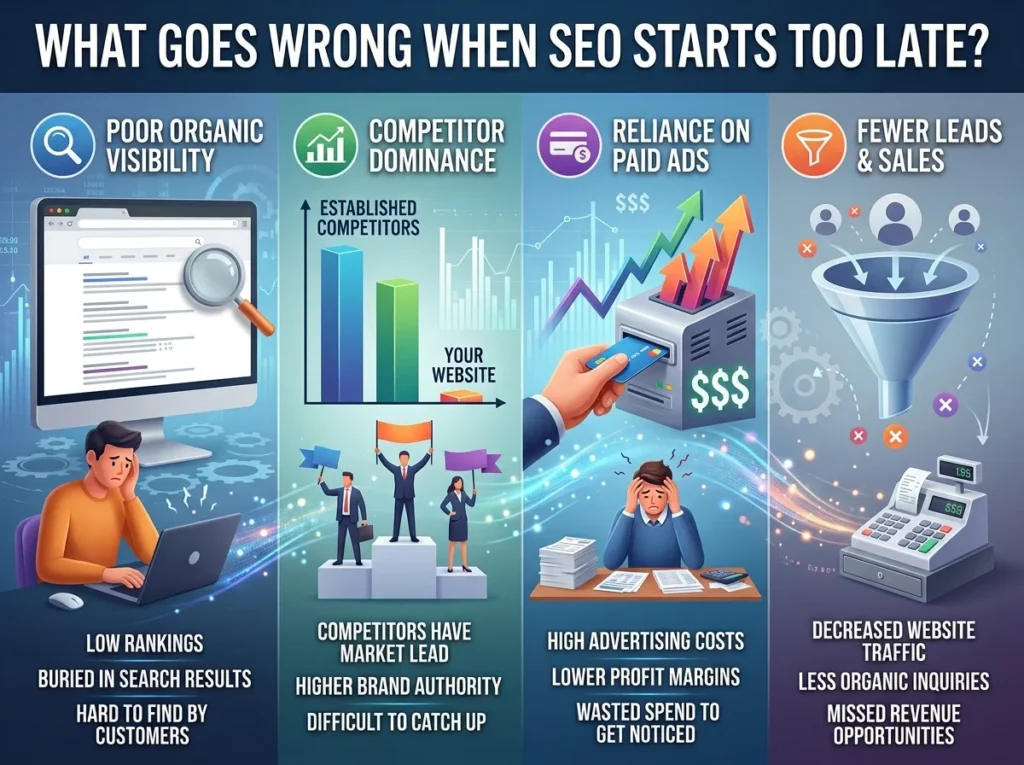
Late SEO often turns simple planning tasks into expensive development changes. The site may already have approved designs, finished templates, and written code.
The Site May Have the Wrong Pages
A designer may place all services on one page because the layout looks clean. Yet customers may search for each service with a different need. One broad page may not explain those services well enough.
SEO research helps decide which topics need their own pages. It also shows which subjects belong in blog posts, guides, service pages, or FAQs. This keeps each page focused and reduces the risk of several pages competing for the same search intent.
Page Templates May Not Support Useful Content
Some templates leave room for a short heading and a few lines of text. That may work for a portfolio page, but it may not work for a detailed service page.
Useful content may need space for benefits, process details, trust signals, FAQs, images, related services, and a clear next step. If the template cannot support those elements, the developer must change it after approval.
Search Engines May Struggle to Reach Key Pages
Important pages can become hard to find when menus rely on unclear buttons, scripts, filters, or forms. Google recommends using crawlable links so it can discover new pages and understand how content is connected.
Poor crawlability during development may not be obvious to a visitor. The page can still look normal in a browser. Search tools and technical checks are needed to confirm that important content and links are available to search engines.
How Does Site Structure for SEO Begin?
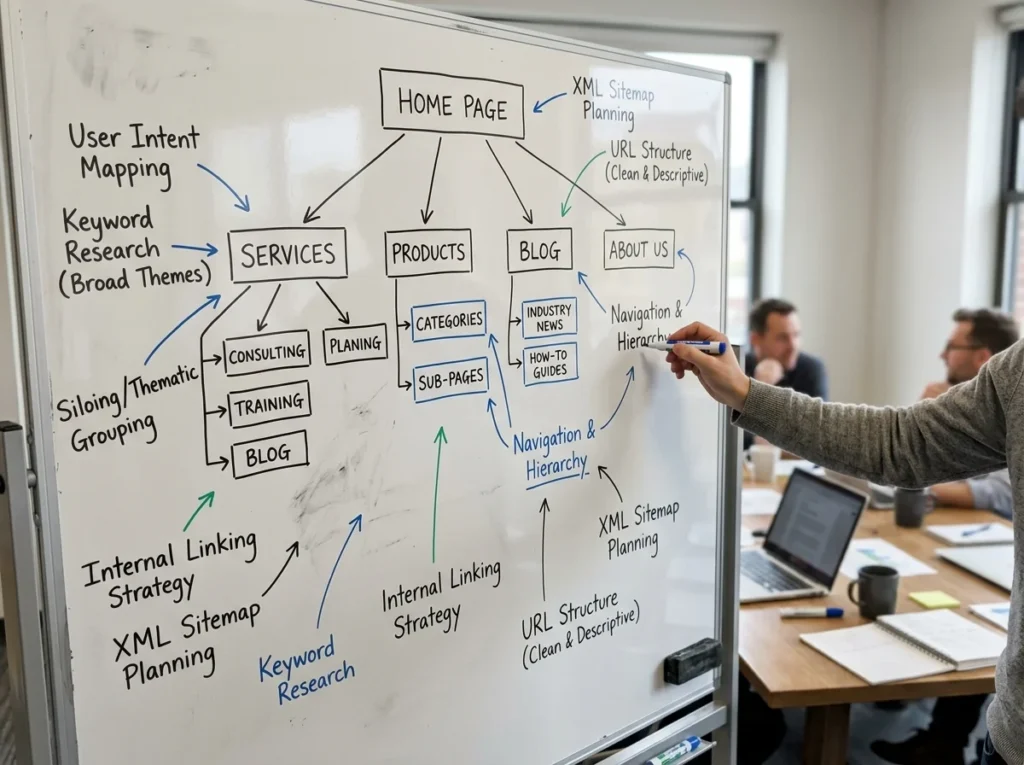
A useful site structure begins with customer needs, not design trends. Each main page should answer a clear question or support a clear action.
Plan the Sitemap Before Designing Pages
The sitemap is the list and order of pages planned for the website. It should include the main services, supporting content, company information, and conversion pages.
For example, a business may need:
- A main website development page
- Separate pages for other core services
- Educational blog posts
- An about page
- A contact or appointment page
The structure should stay simple enough for visitors to understand. Important pages should not sit several levels deep unless there is a clear reason.
Use Clear and Stable URLs
URLs should describe the page in plain language. They should also follow one consistent format across the site.
Google recommends crawlable, logical URL structures. Complex parameters and unclear paths can make crawling less efficient.
Changing URLs after launch can also create extra work. It may require redirects, updated internal links, new sitemap entries, and checks for broken references. Planning stable URLs early helps avoid those problems.
Add Internal Links With a Purpose
Internal links guide visitors toward related information. They also help search engines discover pages and understand their relationships.
A blog about website planning might link to a service page, a related guide, and a contact page. The anchor text should explain what the reader will find.
For example, businesses comparing different build options can read this guide to custom website development vs website builders. That article covers platform choice, ownership, speed, SEO control, and future growth without competing with this article’s main topic.
Why Is Technical SEO During Development Essential?
Technical SEO during development helps create pages that search engines can reach, render, index, and understand. It is easier to build these needs into a website than to repair every template after launch.
Crawling and Indexing Rules Must Be Checked
Some pages should appear in search. Others may need to remain private or excluded.
Developers and SEO specialists should review:
- Robots.txt rules
- Noindex tags
- Canonical tags
- XML sitemap entries
- Status codes
- Redirects
- Staging-site controls
A staging website may be blocked while it is under construction. Those blocks must be removed correctly when the live site launches. One forgotten noindex setting can stop an important page from appearing in search.
An XML sitemap should also list the main indexable URLs. Google explains that sitemaps provide information about important pages and can help search engines crawl a site more efficiently.
JavaScript Content Needs Testing
Modern websites often use JavaScript for menus, page content, forms, filters, and interactive tools. Search engines can process JavaScript, but the setup still needs testing.
Google explains that some JavaScript sites first send an HTML page without the full content. The search engine may then need to run JavaScript before it can see what the user sees.
Developers should check whether important headings, text, links, and product or service details appear in the rendered page. Core content should not disappear when scripts fail or load slowly.
Mobile Content Must Match the Main Site
Google uses the mobile version of a page for indexing and ranking. The mobile page should contain the same useful primary content as the desktop version.
A mobile design should not hide service details, remove important internal links, or make forms difficult to use. Buttons need enough space, text must remain readable, and menus should guide people without extra steps.
How Do Page Speed and Rankings Connect?
Fast pages improve the user experience, but speed alone does not guarantee high rankings. Google uses Core Web Vitals within its ranking systems while also considering many other signals.
Page speed often depends on development choices. Common causes of slow pages include:
- Oversized images
- Heavy animations
- Too many tracking scripts
- Unused code
- Poor font loading
- Slow hosting
- Large third-party tools
- Page builders with extra features
The development team should test real page templates instead of testing only the homepage. Blog posts, service pages, product pages, and contact forms may each load in a different way.
The discussion about page speed and rankings should also stay realistic. Faster loading can support a better experience, but the page still needs useful content, clear intent, and a trustworthy offer.
When Should Schema Markup Be Implemented?
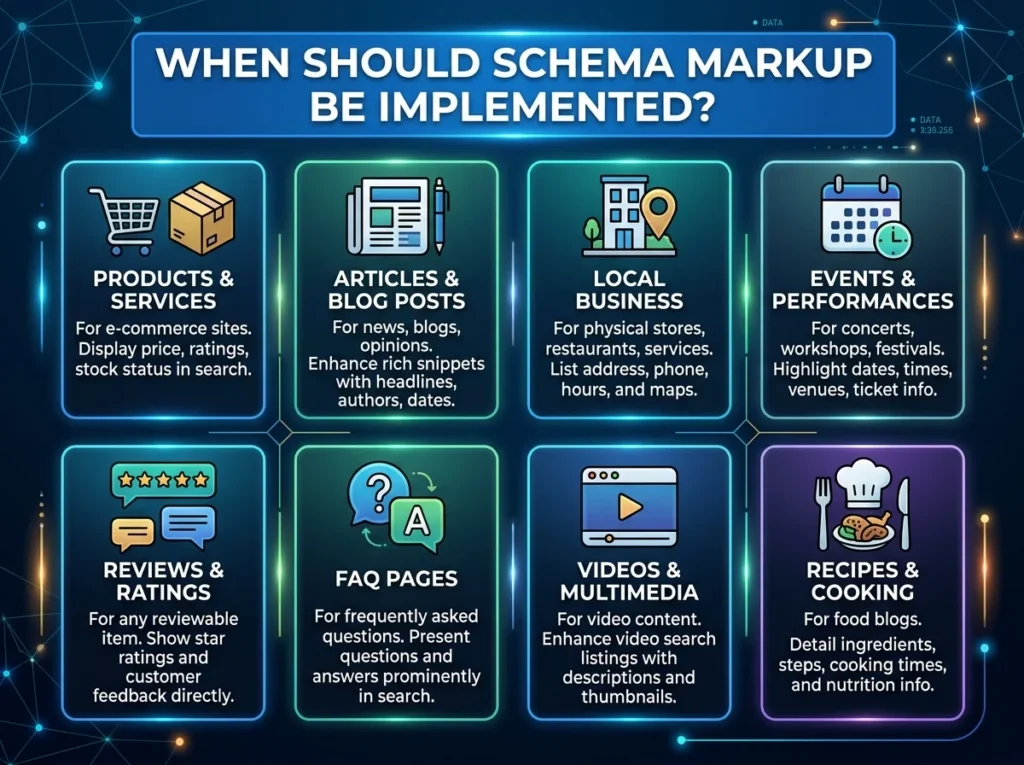
Schema markup implementation should be planned when developers create the page templates. Template-level setup is often more accurate and easier to maintain than adding code to each page by hand.
Structured data describes the content of a page in a format search engines can process. Google states that the markup should match the page where it appears and should describe content that visitors can also see.
A business website may use suitable markup for:
- Organization information
- Articles
- Breadcrumbs
- Products
- Events
- Videos
- Local business details
Schema does not guarantee a special search result or a higher position. It gives search engines more context and may make a page eligible for certain search features.
The SEO specialist should choose the correct type and properties. The developer should add the code, test it, and make sure it updates when visible page content changes.
How Can Development Reduce SEO Migration Risks?
A redesign or platform change can affect existing search visibility. URLs may move, pages may disappear, internal links may break, and metadata may be lost.
SEO migration risks should be reviewed before the old site is replaced.
Create an Old-to-New URL Map
The team should export the existing URLs and match each useful page to its new location. A page with a close replacement should normally redirect to that replacement.
Google recommends server-side permanent redirects when existing URLs move. It also advises updating internal links, canonicals, and sitemap entries to use the new addresses.
Avoid sending every removed URL to the homepage. A redirect should take the visitor to the closest useful page.
Protect Existing Content and Metadata
A redesign should not remove useful content only to make the page look shorter. Before launch, compare old and new versions of key pages.
Check that the new pages keep:
- The main search intent
- Helpful service information
- Page titles and headings
- Internal links
- Images and alt text
- Conversion actions
- Structured data
- Canonical settings
Some content can be improved or combined. The goal is to avoid losing value by accident.
Monitor the Website After Launch
Search performance may change while Google recrawls and reindexes updated URLs. Google notes that migrations can cause ranking changes during this process.
After launch, monitor indexing, traffic, redirects, broken links, sitemap processing, form activity, and key landing pages. Fast checks help the team find technical problems before they affect more pages.
What Does SEO-Friendly Website Design Look Like?
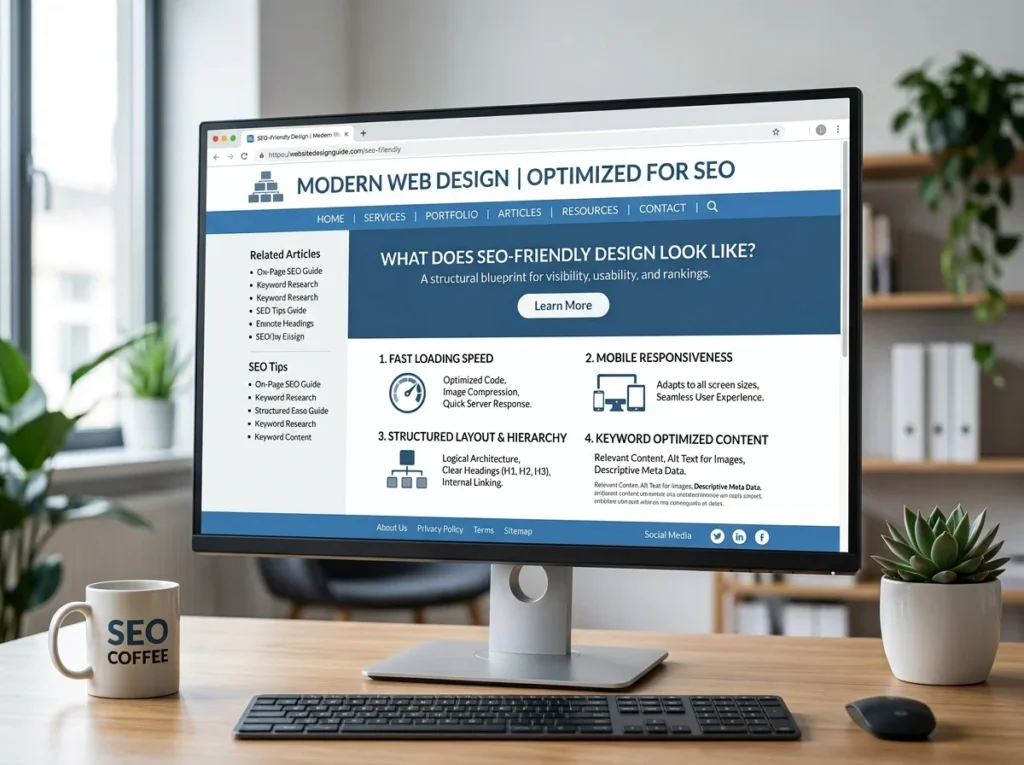
SEO-friendly website design makes the site easy to use, read, and understand. It supports the content instead of forcing every page into the same visual pattern.
A good design should provide:
- Clear headings
- Simple menus
- Readable text
- Useful page sections
- Visible calls to action
- Mobile-friendly forms
- Fast-loading media
- Crawlable links
- Consistent layouts
Designers do not need to make pages plain. Strong visuals, motion, and interactive features can still be used. They should have a clear purpose and should not block the main content.
The website also needs room to grow. A business may later add services, locations, case studies, staff profiles, or software integrations. Flexible templates make these updates easier without rebuilding the whole site.
All 4 One Local’s website development services focus on custom websites, maintainable code, mobile use, performance, security, and search optimization. The company also selects development tools based on the needs of each project rather than forcing every business into one platform.
What Should Anaheim Businesses Consider?
Anaheim businesses may serve several types of customers. Some focus on local residents. Others work across Orange County or serve visitors, business clients, and regional partners.
These audiences may search and use websites in different ways. A restaurant or hospitality business may need fast mobile menus, booking details, directions, and clear opening information. A contractor may need service-area pages, project photos, quote forms, and strong phone actions.
Manufacturers and B2B companies may need technical product details, document downloads, lead forms, customer portals, or CRM connections. Professional service firms may need clear service pages that build trust before a visitor schedules a call.
All 4 One Local’s existing website comparison guide also notes that Anaheim businesses can include restaurants, contractors, hotels, retailers, event vendors, manufacturers, and home service providers. Each business needs a site structure based on how customers search and what they need to do next.
Local SEO should be part of the plan, but it should not lead to repeated city names on every page. Location details should help the visitor. Useful local content may explain service areas, response processes, local business needs, directions, or the types of customers a company serves.
For an Anaheim business, the development and SEO teams should agree on:
- Which pages need local intent
- Which services need their own pages
- How service areas will be organized
- Where address and contact details will appear
- Which pages should link to the contact form
- How the website will support mobile visitors
This creates local relevance without turning the website into a collection of repeated location pages.
What Does an Integrated Project Process Look Like?
An integrated process gives each team clear tasks before, during, and after development.
- Discovery: Define the audience, goals, services, features, and conversion actions.
- SEO research: Review search intent, existing rankings, content gaps, important URLs, and competing pages.
- Site planning: Approve the sitemap, navigation, page purposes, URL format, and internal links.
- Design: Create layouts that support useful content, mobile users, trust signals, and clear actions.
- Development: Build crawlable pages, performance controls, metadata fields, schema, and indexing settings.
- Content: Write each page for one main intent and connect it to related resources.
- Testing: Check links, redirects, mobile layouts, forms, page speed, canonicals, schema, sitemaps, and robots rules.
- Launch and monitoring: Watch traffic, indexing, errors, conversions, and key landing pages.
SEO should not control every design or development choice. It should be treated as one core project need alongside branding, accessibility, security, usability, and business goals.
Final Thoughts
Website development creates the system. SEO helps people and search engines find, understand, and use that system. Separating the two can lead to weak page structures, slow templates, indexing errors, and costly launch repairs.
Planning website development and SEO together creates a stronger base. It allows search needs to guide the sitemap, page templates, internal links, mobile experience, schema, redirects, and performance work from the beginning.
Planning a new website or redesign in Anaheim? Contact All 4 One Local to discuss your project, required features, and search goals before development begins.
Frequently Asked Questions
When Should SEO Start During Website Development?
SEO should start during the discovery and planning stage. Early work helps guide the sitemap, URLs, page templates, content, navigation, and migration plan.
Can SEO Be Added After a Website Is Built?
Yes, but some improvements may require design or coding changes. Adding SEO later can cost more when templates, navigation, or website architecture must be rebuilt.
What Makes a Website SEO-Friendly?
An SEO-friendly website has useful content, clear navigation, crawlable links, logical URLs, mobile-friendly layouts, good performance, and correct indexing settings.
Does a Website Redesign Affect SEO?
It can. Rankings and traffic may change when URLs, content, links, templates, or technical settings are changed. A clear migration plan helps reduce avoidable problems.
Is Schema Markup Required for Rankings?
No. A website can rank without schema markup. Valid structured data can help search engines understand page details and may make the page eligible for rich search features.
What Should Be Tested Before a Website Launch?
Test mobile layouts, forms, page speed, redirects, internal links, robots rules, noindex tags, canonicals, XML sitemaps, schema markup, analytics, and main conversion paths.